 May 5, 2026
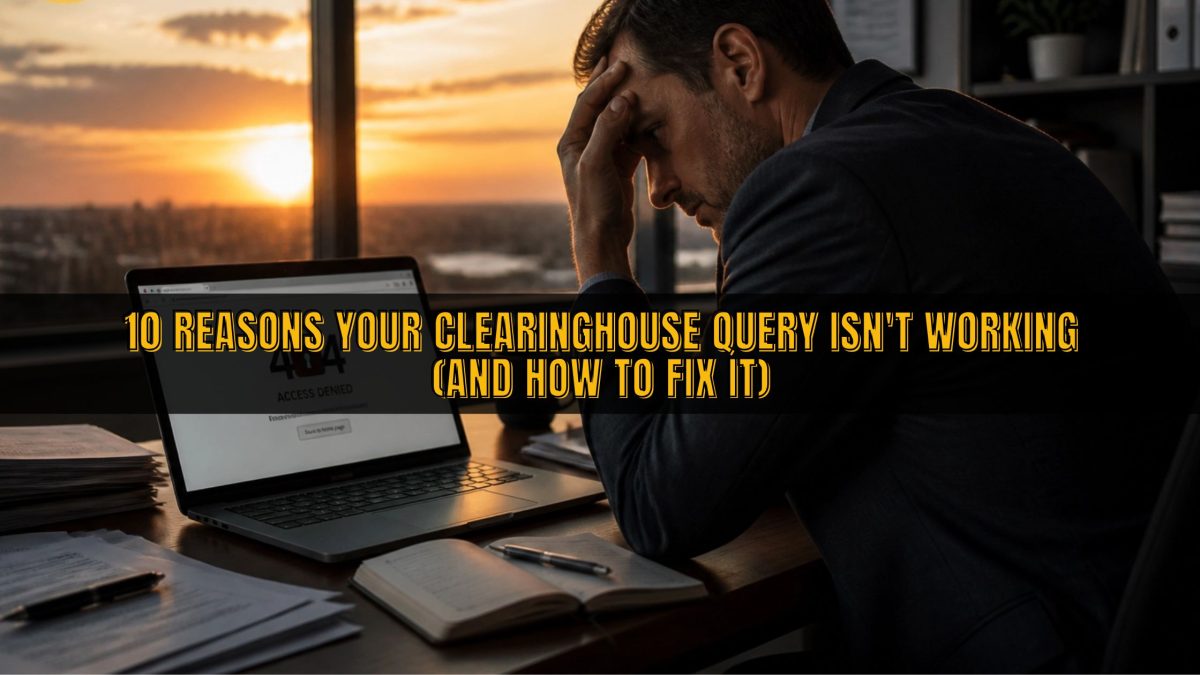
10 Reasons Your Clearinghouse Query Isn't Working (And How to Fix It)
Maintaining compliance in the trucking industry is a full-time job that requires constant attention to detail and a deep understanding of federal regulations. One of the most critical components of your safety program is the FMCSA Drug and Alcohol Clearinghouse, which serves as a centralized database for driver violations. However, many fleet managers and owner-operators find themselves staring at error messages or "Driver Not Found" statuses when trying to run necessary queries.
The thing is, these technical hurdles aren't just annoying; they can actually halt your hiring process or put you at risk for significant fines during an audit. Understanding the specific reasons why your query might be failing is the first step toward getting your drivers on the road safely and legally. Whether you are dealing with a technical glitch or a data entry error, there is almost always a straightforward solution to the problem.
This guide will break down the ten most common reasons your Clearinghouse query isn't working and provide actionable steps to resolve them quickly. By the end of this post, you will have a clear roadmap for troubleshooting these issues, allowing you to focus on what you do best: moving freight across the country. If the administrative burden ever becomes too much, remember that outsourcing your Clearinghouse management to a professional TPA is the most convenient way to stay compliant.
1. INSUFFICIENT QUERY BALANCE
The most common and often overlooked reason for a query failure is a simple lack of funds in your FMCSA account. Unlike some government services that bill you after the fact, the Clearinghouse requires you to purchase "query credits" in advance. If your balance is at zero, the system will not allow you to initiate either a limited or a full query for any driver in your fleet.
To fix this, you must log into your portal and navigate to the "Query Plan" section to purchase additional credits. Each query currently costs $1.25, and you can buy them in bundles to ensure you always have a surplus on hand for new hires or annual renewals. It is a good practice to set a calendar reminder to check your balance monthly, as the FMCSA does not always send immediate low-balance alerts.
Quick Tip: Always purchase a few more query credits than you think you need to account for unexpected hires or re-runs due to data entry errors.
2. LACK OF ELECTRONIC CONSENT (FULL QUERIES)

When you are conducting a full query: which is required for all pre-employment screenings: the driver must provide their consent electronically within their own Clearinghouse portal. If you submit the request and nothing happens, it is likely because the driver has not yet logged in to click the "Approve" button. The query will remain in a "Pending" status until the driver takes action, and it will eventually expire if left unattended.
You should communicate clearly with your prospective hires about this requirement to avoid delays in the onboarding process. Many drivers are still unfamiliar with the portal and may not realize that they have an active request waiting for their signature. Providing them with a simple set of instructions on how to log in and approve the consent can significantly speed up your hiring timeline.
The system will send an automated email to the driver once you initiate the request, but these often land in spam folders. It is always better to follow up with a personal text or call to confirm they have seen the notification. Once they provide consent, the results are typically available to you almost immediately, allowing you to proceed with the qualification process.
3. THE DRIVER IS NOT REGISTERED IN THE SYSTEM
While employers and TPAs are required to be registered, many drivers do not create an account until they absolutely have to. For a full query to work, the driver must have an active, registered account that is linked to their commercial driver’s license (CDL). If they haven't gone through the registration process, your query request has nowhere to go, resulting in a stalemate.
If you encounter this issue, you must direct the driver to the FMCSA Clearinghouse website to complete their registration. They will need to verify their identity through Login.gov, which can sometimes be a multi-step process involving phone verification or backup codes. Helping your drivers navigate this step is essential for maintaining a smooth workflow and ensuring you meet your federal requirements.
Keep in mind that registration is not mandatory for drivers unless they are switching jobs or need to view their own records. However, for you as the employer, their registration is a prerequisite for the pre-employment query process. Encouraging all your drivers to register early: even those already on your roster: is a proactive way to avoid future compliance headaches.
4. INCORRECT CDL NUMBER OR STATE OF ISSUANCE

Data entry errors are a frequent culprit when a query returns a "Driver Not Found" result. The Clearinghouse validates driver information against the Commercial Driver’s License Information System (CDLIS) in real-time. Even a small typo in the CDL number or selecting the wrong state from the dropdown menu will cause the validation to fail instantly.
To resolve this, double-check the driver's physical license against the information you entered into the portal. Watch out for common mistakes, such as confusing the letter "O" with the number "0" or including dashes and spaces that the system might not recognize. If the license was recently issued or renewed, there may also be a slight delay in the CDLIS database update, though this is becoming less common.
It is also important to ensure you are using the driver's legal name exactly as it appears on their CDL. Using a nickname or a shortened version of a middle name can trigger a mismatch error. If you continue to receive errors despite having the correct information, you may need to ask the driver to verify that their state licensing agency has updated their records correctly.
5. NAME AND DATE OF BIRTH DISCREPANCIES
Similar to CDL errors, discrepancies in the driver's legal name or date of birth will prevent a successful query. The FMCSA system is highly sensitive to formatting and spelling, as it is designed to protect the privacy and accuracy of driver records. If the name you provide does not match the record held by the state licensing agency, the query will be blocked for security reasons.
When entering a driver's name, avoid using titles, suffixes, or special characters unless they are specifically part of the name on the license. For example, if a driver's license says "Robert," do not enter "Bob" into the query form. These small details are often the difference between a successful search and a frustrating afternoon spent on the phone with technical support.
Quick Tip: Always keep a scanned copy of the driver's CDL in their qualification file so you can refer back to it for exact spelling and formatting during the query process.
6. USING THE WRONG TYPE OF QUERY
There are two primary types of queries in the Clearinghouse: Limited and Full. A limited query only checks for the presence of information in the database and requires a written consent form kept in your internal files. A full query provides detailed violation and return-to-duty information and requires electronic consent from the driver within the portal.
If you attempt to run a full query but only have written consent, the system will not provide the data you need. Conversely, if a limited query returns a "hit" indicating that records exist, you are legally required to conduct a full query within 24 hours. Failure to understand the distinction between these two can lead to compliance gaps and unsuccessful query attempts.
Understanding when to use each type is a core part of your additional services management. Pre-employment checks always require a full query, while annual checks on existing drivers can start as limited queries. Knowing the rules for each scenario will help you navigate the portal more efficiently and avoid unnecessary technical hurdles.
7. TPA AUTHORIZATION ISSUES
If you utilize a Consortium/Third-Party Administrator (C/TPA) to manage your testing and Clearinghouse duties, they must be specifically authorized in your portal. If you haven't linked your account to your TPA, they will be unable to run queries on your behalf. This is a common issue for new members who forget to complete the "Designate a TPA" step after signing up for a service.
To fix this, log into your Clearinghouse account, go to the "My Dashboard" section, and select "Manage TPAs." You can then search for your provider by name and authorize them to conduct queries and report violations. You must also select the specific functions you want them to perform, such as "Conduct Queries" and "Report Violations," to ensure they have the necessary permissions.
Working with a dedicated team like Labworks USA ensures that these authorizations are handled correctly from the start. We help guide you through the designation process so that we can take the administrative weight off your shoulders. Once the link is established, our team can manage your annual and pre-employment queries seamlessly, ensuring you never miss a deadline.
8. EXPIRED OR REVOKED DRIVER CREDENTIALS

Occasionally, a query will fail because the driver’s CDL is no longer valid. If a license has expired or has been revoked by the state for reasons unrelated to the Clearinghouse, the system may not be able to validate the information against CDLIS. This serves as an unintended but useful early warning system for employers regarding a driver's legal status.
If you suspect this is the case, you should immediately verify the status of the driver's license through their state’s motor vehicle department. A driver cannot legally operate a commercial motor vehicle without a valid CDL, and running a query on an invalid license is a waste of resources. Once the driver resolves their licensing issues with the state, the Clearinghouse query should function as expected.
It is also possible that a driver has recently upgraded their license or changed their state of domicile. In these cases, the "old" CDL information will no longer work in the system. You must obtain the most current license details from the driver before attempting to run a new query in the portal.
9. TECHNICAL SYSTEM MAINTENANCE AND OUTAGES
Sometimes, the problem isn't on your end at all: it's the system itself. The FMCSA Clearinghouse is a massive database that occasionally undergoes scheduled maintenance or experiences unexpected technical outages. During these windows, queries may return error messages, time out, or fail to process payments correctly.
The FMCSA usually posts notifications about scheduled downtime on the Clearinghouse homepage well in advance. However, if the site feels sluggish or buttons aren't responding, it’s worth checking industry news or the official FMCSA social media channels for reports of a broader system issue. In these instances, the only solution is to wait for the federal IT teams to resolve the problem.
If you are facing a critical hiring deadline and the system is down, document the outage as part of your compliance record. While the FMCSA generally expects immediate compliance, having proof that the government system was unavailable can be helpful during an audit. Most outages are resolved within a few hours, so checking back later in the day is usually the best course of action.
10. BROWSER COMPATIBILITY AND LOGIN.GOV ERRORS
The technical infrastructure of the Clearinghouse relies heavily on modern web standards and the Login.gov authentication system. If you are using an outdated browser like Internet Explorer, or if your browser's cache is cluttered, you may experience significant issues with the portal's functionality. This can manifest as frozen pages, buttons that don't click, or login loops.
To fix this, ensure you are using a modern browser such as Google Chrome, Microsoft Edge, or Mozilla Firefox. Clearing your browser's cookies and cache can also resolve many persistent login issues. If the problem is specifically related to Login.gov, you may need to reset your password or update your two-factor authentication settings to regain access to the Clearinghouse.
Technical glitches can be incredibly frustrating when you have a business to run and trucks to keep moving. That is why having a partner to manage the technical side of compliance is so valuable. We stay on top of these technical shifts so you don't have to spend your valuable time troubleshooting website errors and login credentials.
HOW LABWORKS USA SIMPLIFIES YOUR CLEARINGHOUSE COMPLIANCE
Navigating the complexities of the FMCSA Clearinghouse can be overwhelming for even the most experienced fleet managers. Between managing query balances, tracking driver consents, and ensuring data accuracy, it is easy for small details to fall through the cracks. Labworks USA offers comprehensive Clearinghouse management services designed to take these tasks off your plate entirely.
Our team of experts handles everything from registration assistance to conducting annual and pre-employment queries on your behalf. We ensure that your TPA authorizations are correctly set up and that your query credits are managed efficiently. By partnering with us, you gain the peace of mind that comes from knowing your compliance is being handled by professionals who understand the nuances of the law.
We act as an extension of your safety department, providing the support you need to stay focused on the road. Whether you are a small owner-operator or a large carrier with a fleet of drivers, our services are tailored to meet your specific needs. Let us handle the technical hurdles and administrative paperwork so you can focus on safety and profitability.
IN CONCLUSION
Mastering the FMCSA Clearinghouse is a non-negotiable part of modern trucking, but it doesn't have to be a source of constant frustration. By identifying the common reasons for query failures: ranging from simple typos to complex consent issues: you can streamline your operations and stay ahead of regulatory requirements. Remember that the Clearinghouse is a living system that requires regular maintenance and vigilance to function correctly.
Staying updated on federal rules and technical requirements is a shared responsibility that keeps our highways safer for everyone. If you find yourself consistently struggling with the portal or simply don't have the time to manage it, reaching out for professional help is a smart business move. Consistent compliance is the best defense against audits and legal liabilities in the transportation industry.
READY TO SIMPLIFY YOUR COMPLIANCE?
Don't let administrative hurdles slow down your business. Labworks USA provides the most convenient and practical solutions for DOT compliance. Join thousands of satisfied drivers and carriers across America today.
DOT Drug and Alcohol Testing Consortium – Annual Membership
- 1 Driver: $199/year
- 2-4 Drivers: $299/year
- 5+ Drivers: Call for specialized fleet pricing