 Jul 1, 2026
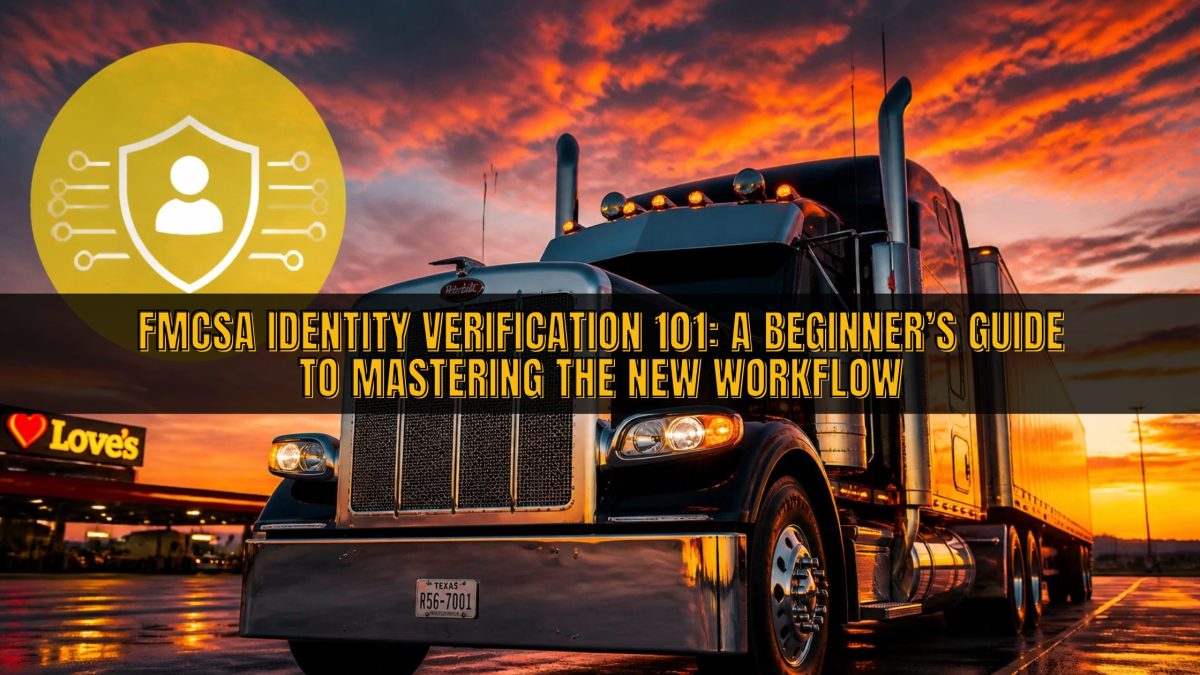
FMCSA Identity Verification 101: A Beginner’s Guide to Mastering the New Workflow
The landscape of federal trucking regulations is shifting toward a more secure, digital-first environment. For years, carriers and drivers managed their FMCSA accounts with standard usernames and passwords, but those days are quickly coming to an end. The Federal Motor Carrier Safety Administration (FMCSA) is now rolling out a robust identity verification workflow designed to protect your data and the integrity of the national road system.
As we move toward 2026, understanding how to navigate these digital hurdles is just as important as knowing how to handle a pre-trip inspection. This new process integrates advanced biometrics and multi-factor authentication (MFA) to ensure that only authorized individuals are accessing sensitive portals. While it might feel like another layer of red tape, mastering this workflow early will save you significant time and frustration during your next registration or renewal.
The transition to these new security standards is part of a larger effort to modernize the industry’s IT infrastructure. Whether you are a solo owner-operator or a fleet manager overseeing hundreds of drivers, these changes will impact how you interact with the FMCSA Clearinghouse and the Unified Registration System (URS). At Labworks USA, we believe that staying ahead of these updates is the best way to keep your wheels turning without administrative delays.
WHAT IS THE NEW FMCSA IDENTITY VERIFICATION WORKFLOW?
At its core, the new identity verification workflow is a specialized security bridge between you and the FMCSA's digital tools. It primarily utilizes Login.gov, the federal government’s secure sign-in service, coupled with a biometric verification step powered by IDEMIA. This means that simply having a password is no longer enough to access your carrier profile or manage your drug and alcohol testing records.
This workflow is not just a one-off login; it is a comprehensive identity "handshake" that confirms you are who you say you are. The process involves scanning physical government documents and taking a live selfie to prove your identity in real-time. By tethering your physical identity to your digital account, the FMCSA significantly reduces the risk of identity theft and fraudulent account creation within the industry.
The thing is, this workflow is becoming the standard for almost all FMCSA systems, including the FMCSA Clearinghouse and the FMCSA Portal. If you are applying for a new USDOT number or trying to reinstate an old authority, you will likely encounter this biometric gatekeeper immediately. Understanding the underlying technology and the steps required will prevent your application from getting stuck in "pending" status.
WHY IS THE FMCSA MAKING THIS CHANGE NOW?
The primary driver behind this sudden push for high-level identity verification is the rising tide of fraud and data breaches. In recent years, the trucking industry has seen an uptick in deceptive practices, including the unauthorized use of USDOT numbers and "chameleon" carriers trying to hide their safety records. By implementing a biometric identity check, the FMCSA can ensure that every individual behind a carrier or a third-party administrator is fully verified and accountable.
Security is no longer a luxury; it is a shared industry responsibility that protects everyone on the road. When the FMCSA knows exactly who is managing a fleet’s compliance data, it creates a more transparent and safer environment for legitimate operators. This shift aligns the trucking industry with the same security standards used by banking institutions and other high-security federal agencies.
Quick Tip: Don't wait until the day before a registration deadline to set up your Login.gov account. Setting it up now ensures your MFA methods are verified and your access is ready when you need it most.
STEP-BY-STEP: NAVIGATING THE VERIFICATION PROCESS
The process begins when you attempt to log into or register for an FMCSA service like the Unified Registration System. You will be redirected to Login.gov, where you must provide a unique email address and set up multi-factor authentication, such as a code sent to your phone. Once your initial login is successful, the system will trigger the identity verification prompt if you are a first-time user or if your specific transaction requires it.
After the prompt appears, you will be presented with a QR code on your computer screen that you must scan with your smartphone or tablet. This opens a secure mobile web app: either the IDEMIA or FMCSA Identity Verification tool: that uses your phone's camera to capture your government-issued ID. You will need to take a clear, well-lit photo of the front and back of your driver’s license or passport, ensuring that all text is legible and no corners are cut off.
The final and most critical step is the "liveness check" or the facial scan. You will be asked to place your face within an on-screen oval while the app automatically captures a high-resolution selfie. This biometric data is compared against your ID photo in real-time to confirm a match. Once the app gives you the green light, you return to your computer browser, click "Proceed," and your identity is officially linked to your FMCSA profile.
WHO IS SPECIFICALLY AFFECTED BY THESE UPDATES?
While most users will eventually need to use Login.gov, the biometric ID verification (the selfie and ID scan) is currently targeted at specific groups. As of early 2026, anyone applying for a new USDOT number or operating authority through the URS must complete this process. This includes new owner-operators and established carriers that are re-entering the market after a period of revocation or inactivity.
Starting April 27, 2026, the scope of this requirement expands significantly within the Drug & Alcohol Clearinghouse. The mandatory identity verification will apply to:
- Employers who do not have an existing FMCSA Portal account.
- Consortium/Third-Party Administrators (C/TPAs) like the team at Labworks USA.
- Medical Review Officers (MROs) and Substance Abuse Professionals (SAPs).
- Account "Assistants" who manage data on behalf of another company.
For individual CDL drivers, the changes are currently less intrusive. You must have a Login.gov account with MFA to check your own records in the Clearinghouse, but the biometric facial scan is typically not required for routine driver-level access. However, if you are a driver transitioning into an owner-operator role, you will immediately fall into the "carrier applicant" category and must complete the full identity verification workflow.
PREPARING YOUR MOBILE WORKSTATION FOR SUCCESS
Success in this new workflow depends largely on the quality of your technology and your environment. Since the identity verification relies on high-resolution image capture, attempting this process in a dark truck cab with a cracked phone screen is a recipe for failure. You need a device with a modern camera and a stable internet connection to ensure the data transmits correctly to the verification servers.
Before you start the process, find a quiet area with neutral, bright lighting that doesn't create glare on your ID card. Avoid using "beauty filters" or wearing sunglasses and hats during the facial scan, as these can trigger a rejection from the automated system. It is also helpful to have your physical ID card out of any plastic sleeves to prevent light reflections that could obscure important security features on the card.
If you encounter technical glitches, such as the QR code failing to load or the camera app freezing, the best first step is to clear your browser cache and restart the process. Many users find that using a different mobile browser (like switching from Safari to Chrome) can resolve compatibility issues. Remember that these systems are updated frequently, so keeping your phone’s operating system current is a vital part of your digital compliance routine.
THE ROLE OF A C/TPA IN THE NEW DIGITAL ERA
Navigating these digital transitions can be overwhelming, especially when you have a business to run and cargo to move. That is why partnering with a Consortium/Third-Party Administrator (C/TPA) like Labworks USA is more valuable than ever. While we cannot take the selfie for you, we provide the comprehensive support and guidance necessary to ensure your account roles are set up correctly from the start.
We handle the heavy lifting of compliance management, from random testing to Clearinghouse reporting, so you don't have to spend your weekends deciphering federal IT manuals. Our team stays on top of every regulatory shift, ensuring that our members are the first to know about upcoming deadlines and technical requirements. We act as your compliance partner, helping you navigate the intersection of old-school trucking and new-age digital security.
That’s why so many carriers choose to outsource their administrative burdens to us. We offer a direct line to experts who understand the nuances of the FMCSA systems and can help you troubleshoot issues before they become compliance violations. When you join our consortium, you aren't just getting a testing service; you're getting a dedicated team that treats your company’s compliance as if it were our own.
COMMON ROADBLOCKS AND HOW TO AVOID THEM
One of the most common issues drivers and carriers face is the "mismatched data" error. This happens when the name you typed into the FMCSA system does not perfectly match the legal name extracted from your government ID during the verification process. The new system is designed to automatically pull your name from your ID, so if your profile has an old nickname or a missing middle initial, the verification may fail or require manual intervention.
Another frequent roadblock is the shared email address dilemma. Because Login.gov is tied to an individual's identity, every person in your office who needs access to FMCSA systems must have their own unique email and Login.gov account. Trying to use a "[email protected]" address for multiple users will lead to account lockouts and security flags. Each user must be registered as an individual "Assistant" or "Admin" with their own verified identity.
Quick Tip: If your identity verification fails multiple times, do not keep trying with the same photos. Take the ID card to a different location with better lighting and try using a different smartphone if possible.
IN CONCLUSION: STAYING VIGILANT IN A CHANGING INDUSTRY
The shift toward the FMCSA's new identity verification workflow is a clear signal that the industry is entering a new era of accountability. While the initial setup might require a few extra steps, the long-term benefits of increased security and reduced fraud are undeniable. Staying informed and proactive is the only way to ensure these digital changes don't slow down your operations.
As an industry leader, Labworks USA is committed to helping you bridge the gap between regulatory requirements and daily business reality. We encourage all carriers and owner-operators to audit their current FMCSA and Clearinghouse access today. Make sure every person who needs access has a functioning Login.gov account and is prepared for the mandatory biometric verification coming in April 2026.
Remember, compliance is not a static goal; it is a moving target that requires constant updates and vigilance. By mastering the identity verification workflow now, you position your business as a safe, professional, and modern operator in a competitive market. We are here to support you every step of the way, providing the tools and expertise you need to stay compliant and stay on the road.
READY TO SIMPLIFY YOUR COMPLIANCE?
Keeping up with FMCSA changes shouldn't be a full-time job. Let Labworks USA handle the administrative headaches so you can focus on driving. Our DOT Drug and Alcohol Testing Consortium Annual Membership provides you with immediate compliance and peace of mind.
CLICK HERE TO JOIN THE CONSORTIUM TDAY!
Common Search Terms for Further Research:
- FMCSA Portal Identity Verification
- Login.gov for Truckers
- FMCSA Clearinghouse April 2026 Update
- IDEMIA Identity Verification for FMCSA
- URS Identity Verification Workflow